Applying for the Central Teacher Eligibility Test (CTET) is a major milestone for aspiring teachers. However, many candidates face a common hurdle: their application gets rejected or stalled because the uploaded photograph and signature do not meet the strict guidelines set by the Central Board of Secondary Education (CBSE).
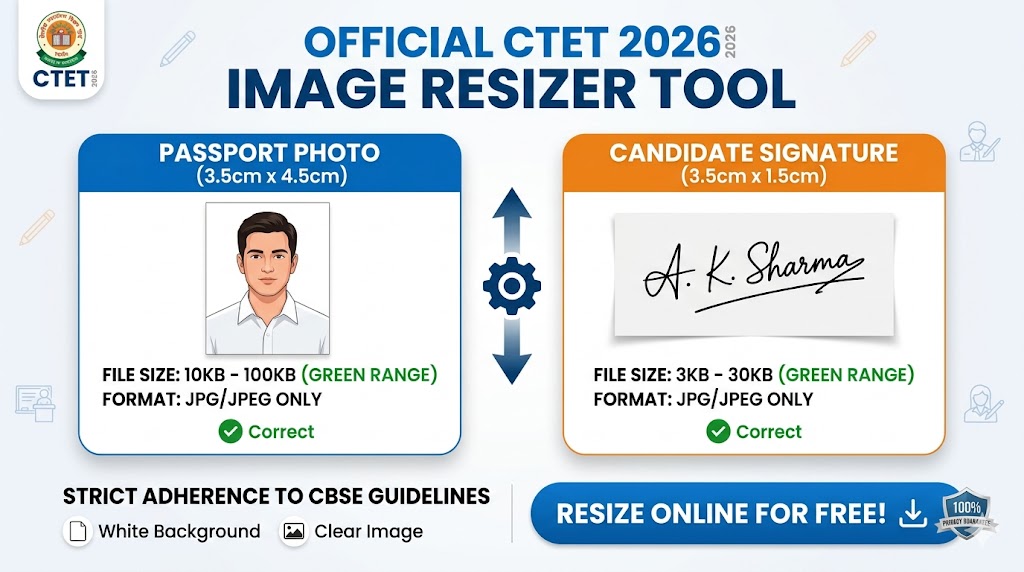
If you are seeing errors like “Invalid file size” or “Dimensions not matching,” our Free CTET Image Resizer Tool is designed specifically to solve this problem instantly.
Official CTET 2026 Image Specifications
Before uploading, ensure your files meet these exact requirements. Our tool above pre-loads these settings for you.
| Feature | Photograph Requirement | Signature Requirement |
| File Format | JPG / JPEG only | JPG / JPEG only |
| File Size (KB) | 10 KB to 100 KB | 3 KB to 30 KB |
| Dimensions (CM) | 3.5 cm (width) x 4.5 cm (height) | 3.5 cm (width) x 1.5 cm (height) |
| Background | White or very light-colored | White paper with Black/Blue ink |
How to use the CTET Photo Resizer Tool
Follow these four simple steps to prepare your documents in less than 30 seconds:
- Select the Mode: Choose between the “CTET Photo” or “CTET Signature” buttons to load the correct dimensions.
- Upload Your Image: Click the upload box and select your scanned file from your mobile or PC.
- Adjust the Quality: Use the slider to increase or decrease the file size. Watch the Estimated Size box; it will turn Green once you hit the perfect range (e.g., 25KB for a signature).
- Download: Hit the download button. The image is saved with the exact CM dimensions required by the CBSE portal.
CTET Photo & Signature Resizer
Official 2026 Specifications Pre-loaded
Click to Upload Image
Strictly JPG/JPEG format only
Estimated Size:
— KB
Checking specifications…
CTET 2026 Photo & Signature Instructions
Photograph Specs
- • Size: 10 KB to 100 KB
- • Dimension: 3.5 cm x 4.5 cm
- • Format: JPG / JPEG only
- • Background: White or light-colored
Signature Specs
- • Size: 3 KB to 30 KB
- • Dimension: 3.5 cm x 1.5 cm
- • Format: JPG / JPEG only
- • Ink: Blue or Black on White paper
How to Resize Image for CTET Application Form?
Follow these simple steps to ensure your application isn’t rejected due to wrong image sizes:
- Select the CTET Photo or CTET Signature button based on what you want to resize.
- Upload your scanned JPG image by clicking the upload area.
- Use the Quality Slider to adjust the file size. Look at the “Estimated Size” box to ensure it is within 10KB-100KB for photos.
- Click Download and your image will be saved with the exact dimensions required by the Central Board of Secondary Education (CBSE).
Common Reasons for CTET Application Rejection
To ensure your CTET 2026 admit card is generated without issues, avoid these common mistakes:
- Blurry Images: Ensure your face is clearly visible. If you resize a very small thumbnail, it will blur. Start with a high-quality original photo.
- Incorrect Background: CBSE prefers a white background. Photos with dark or "scenery" backgrounds are often rejected.
- Signature in All Caps: Do not sign your name in CAPITAL LETTERS. Use your running handwriting.
- Wrong Format: The portal only accepts
.jpgor.jpeg. If your photo is a.png, our tool will automatically convert it to JPG during the download.
Frequently Asked Questions (FAQs)
1. What is the photo size for the CTET 2026 form?
The photo must be between 10 KB and 100 KB. The physical dimensions should be 3.5 cm x 4.5 cm.
2. My signature is 40 KB, how do I reduce it for CTET?
The CTET signature limit is 30 KB. Upload your signature to our tool above and move the quality slider to the left until the "Estimated Size" shows between 3 KB and 30 KB, then download.
3. Can I take a selfie for the CTET application?
It is highly recommended to use a professional passport-sized photograph. Selfies often have distorted proportions and distracting backgrounds that lead to rejection.
4. Is this tool safe for my private photos?
Yes. Our tool uses Client-Side Processing. This means your photos are never uploaded to our servers; the resizing happens entirely inside your own browser. Your privacy is 100% protected.